Online PDF to PPT Converter
Convert your PDF files into PowerPoint presentations directly in your browser. Each page becomes a slide. No uploads, no sign‑up — 100% private, fast, and free.(Need reverse conversion? Try our PPT to PDF → tool instantly)
📄 Provide a PDF
⚙️ Conversion Options
Your privacy is fully protected. This online PDF to PPT converter runs entirely inside your browser.
Your files never leave your device. No uploads, no servers, no data collection.
Convert as many PDFs as you like — it's 100% private, free, and unlimited.
How to Convert PDF to PowerPoint Online for Free
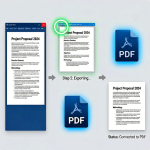
This online PDF to PPT converter makes it simple to turn any PDF into a polished PowerPoint presentation. Just upload your PDF, enter a URL, pick the image quality and slide size, and click convert. In seconds, a clean PPTX file downloads to your device — no account or email required.
Unlike other online converters, this PDF to PowerPoint converter online never sends your files over the internet. Every bit of processing stays right inside your browser, so sensitive reports, proposals, and training materials remain completely private. Each PDF page becomes a high‑quality slide image, ready to present or edit further.
Use it to convert PDF to PPTX online for business meetings, turn PDF documents into presentations online for lectures, or create a PowerPoint from a PDF brochure without retyping a thing. The tool handles multi‑page PDFs instantly and keeps the visual layout intact.
Why People Love This Online PDF to PPT Tool
🔒 100% Private
Files are processed entirely on your device. This no‑upload online PDF to PPT converter keeps your data safe — nothing ever leaves your computer.
📊 Real PPTX Output
Get a genuine .pptx file that opens natively in PowerPoint, Google Slides, or Keynote. Each slide holds a high‑quality image of your PDF page.
⚡ Fast & Lightweight
There’s no upload step, so convert PDF to PowerPoint online in seconds. Even large documents with dozens of pages process quickly.
📁 No File Size Limits
Convert PDFs up to 50 MB without any premium plans. The free online PDF to PPTX converter works with multi‑page documents effortlessly.
Frequently Asked Questions
How do I convert a PDF to PowerPoint online for free?
Use the upload area to select a PDF file, or paste a link to an online PDF. Choose the image quality and slide size, then click "Convert to PowerPoint." The PPTX file will download automatically — no charges, no sign‑up, no uploads.
Can I convert a PDF to PPTX online without uploading it?
Yes. This online PDF to PPT converter without upload works completely offline in your browser. Your document is never transferred to a server, making it perfect for confidential files.
Will the PowerPoint slides be editable?
The output PPTX contains images of each PDF page as slide backgrounds. While the text is not individually editable (no OCR), you can add text boxes, shapes, or overlays directly in PowerPoint to customize the presentation.
What slide size should I choose?
Choose Widescreen (16:9) for modern monitors and projectors. Pick Standard (4:3) for traditional slides or printing. The PDF page image is scaled to fit the slide without distortion.
Is there a limit on the number of pages?
You can convert PDFs up to 50 MB with any number of pages. This online PDF to PowerPoint converter handles large documents efficiently right in your browser.
Does this online converter work on mobile devices?
Yes. The free online PDF to PPT converter works on any modern browser — desktop, tablet, or phone. You can create PowerPoint files on the go without installing any app.
Learn how to use this tool correctly by reading our step-by-step tutorial.