Online Image DPI Changer
Change a picture's DPI without installing anything. I mainly use this to shut up print shops that demand exactly 300 DPI. Your file never leaves your computer — it's all local.
📤 Grab an image off your drive
📐 What your picture looks like right now
⚙️ Pick your DPI and output flavor
Quick reality check — messing with DPI doesn't add or delete any pixels. It just flips a number in the file header. Your image will look exactly the same. If you need more actual detail, you need a bigger source image, not a higher DPI number.
I can't see your pictures, and neither can anyone else. This online DPI changer runs completely inside your browser. Unplug your internet after the page loads — it still works fine. I built it that way because I got tired of uploading client photos to random servers just to tweak a metadata field.
Why I keep an online DPI changer bookmarked
Printers are drama queens. I swear, every time I send a perfectly sharp 2000‑pixel‑wide photo to a print house, they email back whining about "the file is only 72 DPI." As if I'd submitted a postage stamp. Then I have to explain — again — that DPI is just a label. The pixels are there. But arguing gets old, so I just fire up this online image DPI changer, flip the number to 300, resend the same picture, and suddenly everyone's happy. It's ridiculous, but hey, whatever pays the bills.
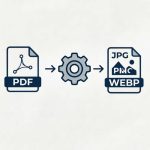
A change DPI of image online tool shouldn't be complicated. I don't want to launch Photoshop for something that takes three seconds. This page does exactly one job: it reads your current DPI (if it's even set), shows you what print size you'd get, and lets you pick a new DPI. Then you can download it as a PNG, JPEG, WebP, or even a ready‑to‑print PDF. The PDF mode is great because it bakes the physical size right into the file — no more excuses from the print shop.
I've used this tool on passport photos, book covers, T‑shirt designs, you name it. The image DPI converter online thing works on my phone too, which saved me once when I was literally standing in a print shop and they wouldn't take my file. I pulled up the page, flipped the DPI, and handed the phone back to them. Their faces were priceless.
What makes this one not suck
🛑 No sneaky uploads
I've been burned by "free" converters that grab your images and do who‑knows‑what with them. This online DPI changer processes everything on your device. Zero network requests after the page loads.
🎯 Pixels untouched
A lot of tools will resample your image when you change DPI, which actually damages quality. Not here. Your 3000x2000 stays 3000x2000. I'm only poking the metadata fields.
📏 Print size preview
Before you commit, you can see exactly how many inches wide your image will print at both the old and new DPI. It's saved me from ordering the wrong size print a bunch of times.
💸 Free as in actually free
No daily limits, no "pro" plan, no watermark. If you need to increase DPI of picture for fifty files in one afternoon, go wild. I'm not standing behind you with a credit card form.
Stuff I hear a lot (and my honest answers)
Does changing DPI actually make my picture sharper?
No. And I really wish more people understood this. DPI is literally just a tag that tells a printer "hey, print this many pixels per inch." If you've got a 600x600 pixel image, setting it to 300 DPI means it'll print as a 2‑inch square. Setting it to 72 DPI means it'll print about 8.3 inches. The actual pixels are identical in both cases. If you want a bigger, sharper print, you need more pixels, not a bigger DPI number.
What DPI do you usually set?
300. It's the magic number every print shop asks for. I rarely go higher than that unless someone specifically says they need 600 for fine art. And honestly, for most things printed on a standard press, 300 is overkill but it makes them happy.
Can I change DPI from 72 to 300 without ruining the quality?
Yep — because you're not ruining anything. The image data is exactly the same. This is just a 72 to 300 DPI converter that updates the metadata. The file may get a tiny bit larger or smaller depending on whether you save as PNG or JPEG, but visually nothing changes.
Why would I pick PDF output?
Some printers are really stubborn about JPEGs and insist on PDF. When you pick PDF mode, the tool creates a PDF page whose physical dimensions match your image at the target DPI — so the printer can't get confused. I use it for commercial print jobs all the time.
Does WebP save DPI info?
Nope. The WebP format doesn't have a standard way to embed DPI. If you download as WebP, you'll get the image but the DPI won't be written into the file. I usually stick with PNG or PDF if I need guaranteed print sizing.
Is there a file size limit?
I capped it at 30 MB because bigger files can make the browser choke a little. Most photos and design assets are way under that, so you should be fine.
Learn how to use this tool correctly by reading our step-by-step tutorial.