Excel spreadsheets are everywhere in modern work and study. People use them for budgets, sales data, research tables, inventory logs and daily trackers. These files hold organized data, custom layouts and important details for personal and professional use.
Even though Excel works great for editing, it is not ideal for sharing. Layouts can shift on different devices, and not everyone has spreadsheet software installed. This is why converting Excel files to PDF has become a standard final step for sharing, submitting and archiving documents.
Online conversion tools are the most convenient choice for most users. They require no software downloads and work on any device with a web browser. However, not all online tools deliver reliable results. Some add watermarks, limit file sizes or break your original formatting.
If you want reliable results without extra costs or hidden restrictions, finding the best free Excel to PDF converter online makes all the difference. This guide will walk you through everything you need to know, from picking the right tool to completing perfect conversions every time.
Why Choose an Online Excel to PDF Converter Over Desktop Software
Before diving into details about the best free Excel to PDF converter online, it helps to understand why browser-based tools remain a top pick for most users today.
Online converters run entirely inside your web browser. You do not need to install large desktop programs or update software regularly. This saves storage space on laptops, desktops and mobile devices alike.
They offer full cross-device support. You can start a conversion on a home computer, a work laptop or even a tablet while traveling. The workflow stays flexible for busy users with multiple devices.
Most trusted online options require no complicated setup. There are no activation codes, trial periods or mandatory subscriptions. You can open the tool and start converting files within seconds.
Free online tools also eliminate extra expenses. Paid desktop applications charge ongoing fees or one-time high costs. A quality free online alternative covers all basic and advanced conversion needs at zero cost.
For quick, one-off tasks and regular daily use, the simplicity of an online solution easily beats bulky desktop software. This is why so many users search for the best free Excel to PDF converter online for their daily document work.
Common Problems With Low-Quality Free Online Conversion Tools
It is easy to find free Excel to PDF tools online, but many come with frustrating drawbacks. Knowing these issues will help you spot and avoid unreliable platforms.
Many basic free tools add visible watermarks across converted PDF pages. These branded marks cover data cells and make documents look unprofessional for business or school use.
Strict file size limits are another common issue. Some platforms only let you convert small spreadsheets. Larger files with multiple sheets or charts get blocked entirely.
Poor formatting preservation plagues many cheap online converters. Columns shift, borders disappear, fonts change and content splits across pages incorrectly.
Slow processing speeds create delays during busy work hours. Some tools take minutes to finish a simple conversion, slowing down your entire workflow.
A small number of untrusted sites also pose privacy risks. They may store your uploaded files indefinitely or collect personal data without clear notice.
The best free Excel to PDF converter online fixes all of these problems. It stays completely free, removes usage limits, protects your formatting and keeps your files private.
Key Features of the Best Free Excel to PDF Converter Online
When you compare different platforms, use these key features to identify the best free Excel to PDF converter online. These functions separate top-tier tools from basic low-quality alternatives.
Full format preservation
Top tools keep your original layout intact. Column width, row height, cell borders, colors, fonts and merged cells all stay exactly the same as your Excel file. No messy shifts or broken tables appear in the final PDF.
No watermarks on outputs
Genuine free tools do not add logos, text stamps or semi-transparent overlays. Every converted PDF stays clean and ready for professional sharing and formal submission.
Unlimited file size and conversions
The best options remove strict limits. You can convert large multi-sheet spreadsheets, long data tables and multiple files in one session without hitting usage caps.
Multi-sheet support
Many Excel files contain multiple worksheets. A reliable online converter captures every sheet and arranges them neatly inside one complete PDF document.
Chart and graphic retention
Modern spreadsheets include charts, graphs and images. Quality tools render these visuals clearly, without blurring or distortion in the finished PDF.
Fast processing speed
Even with large files, top platforms complete conversions in just a few seconds. Fast performance keeps your workflow smooth during busy workdays.
Basic privacy protection
Trusted online tools automatically delete uploaded files after conversion. Your sensitive data and personal spreadsheets never remain stored on remote servers.
Top Real-World Use Cases for Online Excel to PDF Conversion
The best free Excel to PDF converter online fits into nearly every daily workflow for students, office staff, business owners and freelancers.
Business financial reporting
Finance teams convert monthly budgets, expense reports and sales trackers into PDF for team reviews and client handoffs. Clean formatting ensures data stays easy to read and professional.
Academic schoolwork
Students turn research data tables, survey results and class projects into PDF for online submissions. A watermark-free file meets all school assignment standards.
Inventory and operation management
Store managers and operation staff convert inventory logs and product lists. PDF files are easy to print, share among teams and archive for future reference.
Client deliverables
Freelancers and small business owners send quoted prices, project timelines and data sheets to clients. A well-converted PDF creates a strong, reliable first impression.
Personal file archiving
Many users convert personal budget trackers, travel plans and household logs. PDF keeps these records locked and organized for long-term storage.
Step-by-Step Guide to Using the Best Free Excel to PDF Converter Online
This simple workflow works for all standard spreadsheets. Follow these steps to get perfect results from the best free Excel to PDF converter online every time.
Step 1: Prepare Your Original Excel File
Open your spreadsheet and do a quick review. Remove empty rows or columns you do not need. Double-check tables, charts and cell styling before starting conversion.
Using a clean, well-organized source file always leads to a cleaner final PDF output.
Step 2: Open the Online Conversion Tool
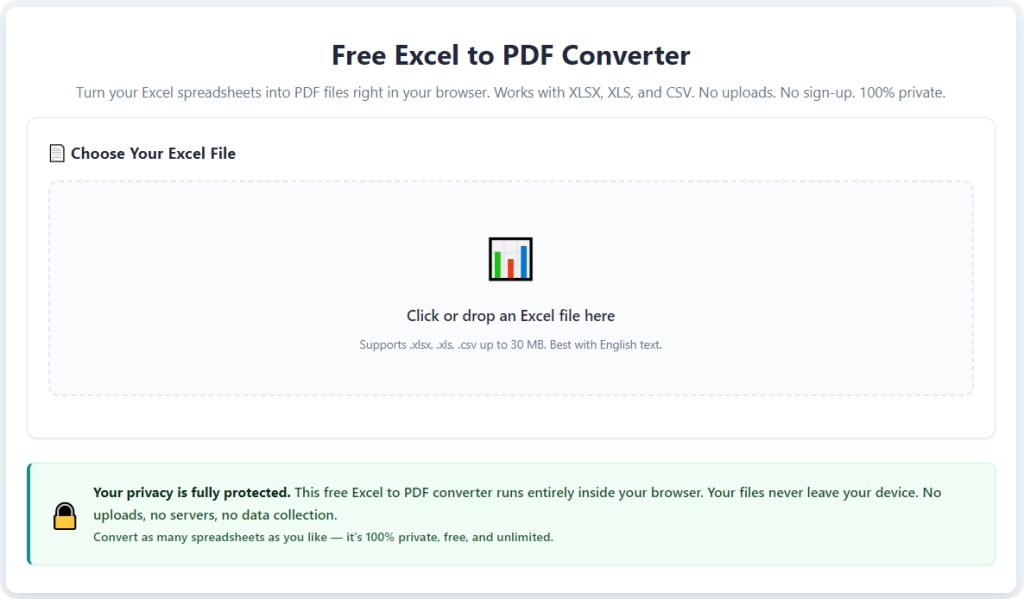
Launch your chosen free online converter in any web browser. You will see a simple, clear interface with an area to upload files.
There are no confusing login screens, mandatory signups or paid upgrade popups on top-quality platforms.
Step 3: Upload Your Excel File
Upload files using drag-and-drop or the standard file selection button. Most tools support all common Excel file types.
You can also upload multiple files at once for batch conversion to save extra time.
Step 4: Select Conversion Settings
Choose your preferred output options. For most cases, keep the default full-format mode enabled. This preserves all tables, fonts and visuals.
If your file has multiple sheets, confirm the option to include all worksheets in one PDF.
Step 5: Start the Conversion Process
Click the convert button and wait a few seconds. The tool will process your spreadsheet and rebuild all content into a standard PDF format.
You do not need to stay on the page the entire time, but stay connected until the process finishes.
Step 6: Preview the Converted PDF
Once processing ends, use the built-in preview window to check results. Look for shifted columns, missing borders or distorted charts.
A quality tool will show an exact match to your original Excel layout.
Step 7: Download Your Final PDF File
After confirming everything looks correct, download the file directly to your device. The PDF is now ready for sharing, printing, submitting or archiving.
The platform will automatically delete your uploaded file shortly after you finish downloading.
Common Mistakes to Avoid During Online Conversion
Even when using the best free Excel to PDF converter online, small user errors can affect your final results. Keep these simple tips in mind to avoid issues.
Do not upload corrupted or partially edited Excel files. Damaged source files will always create messy PDF outputs, no matter how good the tool is.
Avoid rushing past the preview step. Quick checks catch small layout errors before you share or submit the final document.
Do not upload extremely large batches all at once if your internet connection is slow. Split files into smaller groups for smoother processing.
Never ignore on-screen setting options. If your file has special charts or merged cells, enable advanced format retention modes first.
Expert Tips for Better Conversion Results
Use these professional tricks to get the most out of the best free Excel to PDF converter online for every type of spreadsheet.
- Simplify overly complex layouts before conversion. Remove unnecessary layers to keep PDF pages clean and easy to read.
- Check page orientation in Excel first. Set portrait or landscape layout to match how you want the final PDF to display.
- Keep file names simple before uploading. Long special characters in file names can sometimes cause minor upload errors.
- For official documents, always download a second copy to confirm quality before sending to clients or supervisors.
Final Thoughts
Online Excel to PDF conversion is a daily necessity for millions of users. The wrong tool leads to watermarks, broken layouts, size limits and wasted time.
Taking the time to select the best free Excel to PDF converter online transforms this routine task into a fast, stress-free process. You gain a reliable solution that works across all devices, costs nothing and protects the quality of your important documents.
Whether you handle business reports, school projects, inventory data or personal records, a trusted free online converter meets all your needs. It removes the hassle of software installs, paid subscriptions and unreliable formatting issues.
Stick with a proven free online tool for all your Excel to PDF work. You will enjoy clean, consistent, professional PDF files every single day, without hidden fees or frustrating limitations.
After learning the operation method, click the link below to enter the tool page for immediate use.