Online Image Resizer – Resize Photos & Pictures Free
Use this online image resizer to change the dimensions of your pictures. Upload an image, set new width and height, and download the resized file. Keep the aspect ratio, pick a preset, or enter custom pixels. No sign‑up — everything runs right in your browser.
Drop an image here or click to browse
Supports JPEG, PNG, WebP — up to 20 MB. No registration needed.
How to Resize an Image Online for Free
This free online image resizer lets you quickly change picture dimensions without installing software. It’s great for social media, websites, and email attachments. Just upload, adjust the width and height, and download the resized file.
Why Use This Online Image Resizer?
- No registration. A true online image resizer no sign up required. Resize images instantly.
- Keep aspect ratio. Lock proportions so your image doesn’t stretch — or unlock for custom sizes.
- Preset dimensions. Quickly pick common sizes like 1024×768 or Full HD with one click.
- Live preview. See the resized result before you download.
- 100% private. Images stay on your device. Nothing is uploaded.
- Supports JPEG, PNG, WebP. All common formats are accepted.
Step by Step
- Upload your image. Drag and drop or click to select a JPEG, PNG, or WebP file.
- Set new dimensions. Enter width and height in pixels. The aspect ratio is locked by default — uncheck to set independent values.
- Or pick a preset. Choose from common sizes like 800×600 or 1920×1080.
- Download the resized image. Click the download button to save the new file to your device.
Frequently Asked Questions
Q: Is this online image resizer really free?
A: Yes, 100% free. No sign‑up, no hidden costs. Resize as many images as you want.
Q: Does resizing reduce quality?
A: The tool resamples the image at the new size. Reducing dimensions usually keeps quality. Enlarging may soften details, but the output uses high‑quality canvas rendering.
Q: Can I resize an image for social media?
A: Absolutely. Use the presets like 1080×1080 for Instagram or 1200×630 for Facebook. This online image resizer for social media has you covered.
Q: Are my images stored anywhere?
A: Never. Everything runs locally in your browser. No files are uploaded or saved on any server.
Q: What image formats are supported?
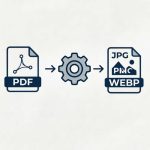
A: You can upload JPEG, PNG, and WebP images. The download is always a PNG file.
Learn how to use this tool correctly by reading our step-by-step tutorial.