Managing employee payroll starts with precise hour tracking. Every small error in calculating shift durations leads to overpayments, underpayments, disputed staff wages and extra admin work for HR teams and small business owners.
Most business managers rely on manual math or basic spreadsheets to tally daily work hours. These outdated methods leave room for miscalculations, missed break deductions and messy shift log reviews every pay cycle.
Generic time calculators lack payroll-specific adjustments. They cannot account for overtime rates, unpaid breaks, split shifts or varying weekly scheduling rules that standard payroll systems require.
A high-quality best time duration calculator for payroll hour tracking fixes all these recurring admin pain points. It is built exclusively to measure, adjust and organize employee shift hours for error-free payroll preparation.
This full tutorial covers the flaws of manual payroll hour tallying, core tool advantages, must-have payroll-focused features, common business use cases and a detailed step-by-step workflow to master the calculator for consistent, accurate payroll runs.
Common Problems With Manual Payroll Hour Tracking Calculations
Handling employee hour totals without a dedicated payroll duration calculator creates persistent financial and administrative headaches for small business HR teams.
Human math errors in shift duration counting
Adding clock-in and clock-out times by hand relies on mental arithmetic. Early morning shifts, night overtime and split schedules make it easy to miscalculate total working hours week after week.
No built-in break time deductions
Manual tallying forces admins to manually subtract unpaid lunch or rest breaks from total shift time. Many teams forget these adjustments, leading to inflated hour totals and unnecessary payroll overspending.
Slow processing for multi-staff payroll batches
Calculating hours one employee at a time on paper or basic spreadsheets drags out payroll prep. Businesses with larger teams spend hours sorting through individual time logs every pay period.
Overtime hour calculation inconsistencies
Different local labor rules set unique overtime thresholds. Generic manual math makes it hard to separate regular pay hours from time-and-a-half or double-time overtime shifts accurately.
Difficulty reconciling split and irregular shifts
Part-time staff, on-call workers and weekend-only employees follow non-standard schedules. Manual tracking struggles to consolidate fragmented shift times into one unified payroll total.
Higher risk of staff wage disputes
When hour calculations are handwritten or loosely logged, employees often question their final pay amounts. Resolving these disputes requires extra time spent cross-checking every individual shift record.
Core Benefits of the Best Time Duration Calculator for Payroll Hour Tracking
Integrating the best time duration calculator for payroll hour tracking into your HR workflow drastically reduces admin labor, cuts payroll mistakes and creates transparent, verifiable hour records for every team member.
Automatically computes accurate shift time spans
The tool instantly measures total duration between clock-in and clock-out timestamps. It eliminates all manual addition and subtraction errors that plague paper-based payroll tracking.
Pre-configured break deduction controls
Payroll-focused calculators include dedicated break adjustment fields. You can input fixed unpaid break lengths, and the tool subtracts these values automatically from each employee’s gross shift hours.
Built-in overtime separation functionality
You can set standard weekly or daily overtime thresholds matching local labor guidelines. The calculator splits regular hours and overtime hours into separate clear totals for simple pay rate application.
Supports all shift types for mixed workforces
Full-time, part-time, night shift, on-call and split employee schedules all work seamlessly within the calculator. Irregular timestamps do not break the duration computation logic.
Cuts payroll processing time dramatically
Instead of spending multiple hours tallying staff hours manually, you can finalize full team hour totals in minutes. HR and business owners reallocate saved time to other critical administrative tasks.
Creates consistent, audit-ready hour records
Every calculated duration result is standardized and easy to export or copy into official payroll documents. Clean, uniform hour data simplifies internal audits and labor compliance checks.
Works for all business size payroll needs
Whether you run a small local shop with five staff members or a mid-sized operation with dozens of hourly workers, the calculator scales to handle your full payroll hour tracking load with no restrictions.
Must-Have Features of the Best Time Duration Calculator for Payroll Hour Tracking
Not all time span calculators are designed for payroll compliance. The true best time duration calculator for payroll hour tracking carries these specialized, wage-processing focused features tailored for business HR use.
Custom clock-in and clock-out timestamp input
Dedicated fields let users type exact start and end times for each shift, including AM/PM differentiation for overnight work spans. The tool converts raw timestamps into total working hours automatically.
Adjustable unpaid break deduction modules
You can input fixed break durations (30 minutes, one hour, etc.) or manually subtract variable break times per shift. The calculator recalculates net working hours after all break adjustments.
Overtime threshold customization
Set daily or weekly hour limits that trigger overtime classification. The tool separates standard payable hours from overtime hours and displays both totals side-by-side for payroll entry.
Multi-shift entry support per employee
Log multiple separate shifts for a single staff member within one calculation session. The calculator sums all individual shift durations to generate a single weekly or biweekly payroll hour total.
Decimal hour conversion for payroll systems
Most payroll software uses decimal hour formatting instead of hour-minute values. Top calculators instantly convert HH:MM time spans into decimal figures ready for direct copy-paste into payroll spreadsheets.
Batch staff hour compilation
You can save individual employee duration calculations and compile all team totals into one consolidated list. This batch feature streamlines full payroll run preparation for multi-staff teams.
Clean copy output for payroll documents
Every calculated hour total can be copied in plain text format. No messy formatting errors occur when transferring hour data to payroll registers, spreadsheets or accounting forms.
No complex setup or advanced training required
The interface prioritizes straightforward HR functionality with no confusing advanced tools unrelated to payroll hour tracking. New admin staff can learn to operate the calculator within minutes.
Real-World Business Use Cases for Payroll Time Duration Calculators
A versatile best time duration calculator for payroll hour tracking fits every industry that relies on hourly employee pay and formal payroll hour logging.
Small retail business weekly payroll
Retail store managers track part-time and full-time cashier, stock and floor staff shifts. The calculator tallies daily opening and closing shifts, subtracts store-mandated lunch breaks and separates weekend overtime hours for weekly payroll processing.
Restaurant and hospitality staff payroll
Servers, line cooks, hosts and bussers work split, irregular shifts with mandatory unpaid meal breaks. The calculator consolidates fragmented daily timestamps and isolates overtime for weekend and holiday service shifts.
Construction and manual labor crew tracking
Field crews often work variable daily start/end times with occasional overtime for extended job sites. HR teams use the calculator to tally crew hours, adjust for onsite break periods and compute compliant overtime totals biweekly.
Office hourly administrative and temp staff
Part-time admin workers, temporary contractors and hourly office support follow flexible schedules. The calculator compiles scattered daily shift durations to generate accurate hour totals for monthly payroll cycles.
Healthcare hourly support staff payroll
Nursing aides, facility cleaners and hourly clinic staff work rotating day, swing and night shifts. The tool accurately measures cross-midnight shift durations and separates overtime hours per local healthcare labor rules.
Audit and labor compliance record keeping
Business owners maintain historical hour calculation outputs as proof of compliant wage tracking. The calculator’s standardized duration totals serve as clear supporting documentation during labor department audits.
Post-hoc payroll correction and adjustment
When errors surface in finalized payroll runs, admins re-input employee shift timestamps into the calculator to generate corrected hour totals for adjusted pay statements and payroll amendments.
Step-by-Step Complete Guide: Use the Best Time Duration Calculator for Payroll Hour Tracking
Follow this standardized payroll-focused workflow to calculate accurate staff shift durations, separate overtime and prepare clean hour data ready for official payroll entry.
Step 1: Gather all employee shift timestamp records
Pull together every clock-in and clock-out log for the payroll cycle you are processing. Collect physical timesheets, digital shift logs or employee submitted time records for every team member.
Note all unpaid break lengths assigned to each staff shift, as well as any pre-set overtime thresholds required by local labor regulations or company policy.
Step 2: Launch the payroll-focused time duration calculator
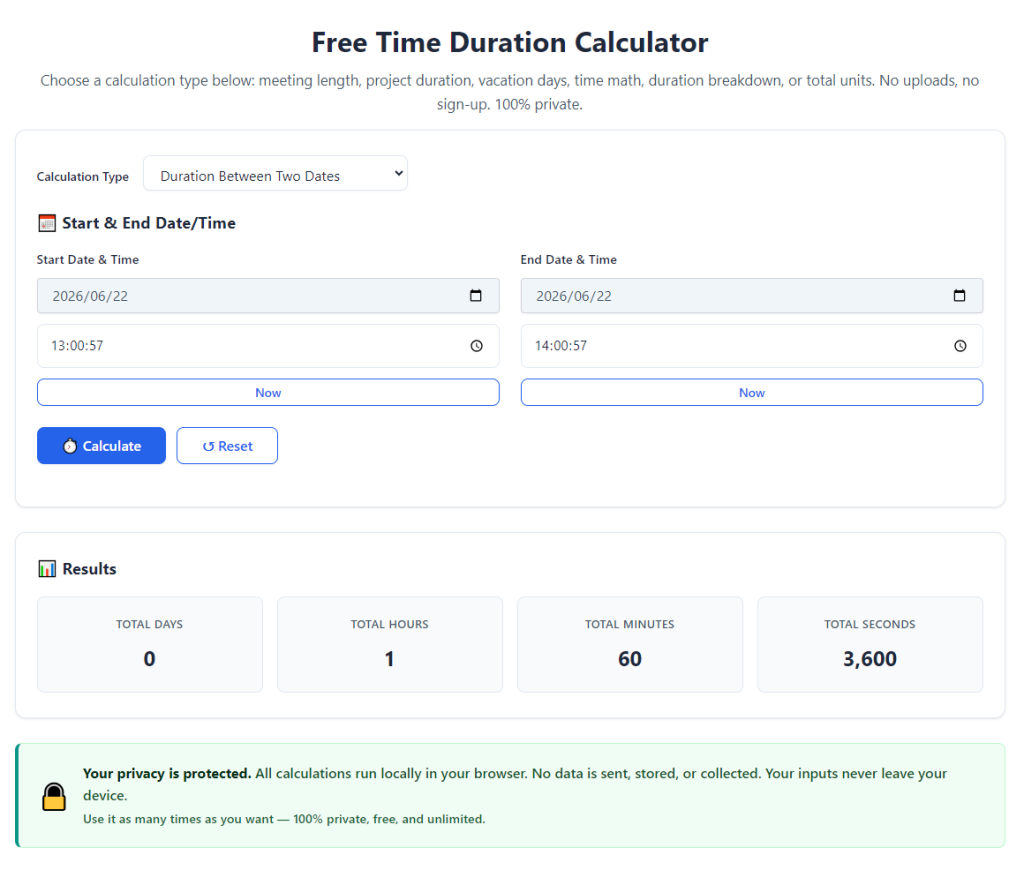
Open the tool in your standard web browser. The primary interface will display clear labeled input fields dedicated to payroll hour tracking, with no irrelevant consumer time calculation features cluttering the screen.
Locate the core sections: shift start time input, shift end time input, break deduction controls and overtime threshold settings before beginning data entry.
Step 3: Input the first employee’s individual shift timestamps
Type the exact clock-in time and clock-out time for one single shift into the matching fields. Double-check AM and PM labels, especially for overnight shifts that cross midnight boundaries.
If the employee worked multiple shifts in one payroll cycle, complete one full calculation for each separate shift before moving to consolidation.
Step 4: Apply unpaid break time adjustments
Enter the total length of unpaid breaks taken during the logged shift into the break deduction field. The calculator will automatically subtract this value from the raw total shift duration to generate net working hours.
For shifts with multiple separate break periods, add together all break minutes first before entering the combined total deduction value.
Step 5: Configure your overtime rule thresholds
Input your business’s official daily or weekly overtime hour cutoff into the overtime settings panel. Common standards include eight hours per day or forty hours per full work week.
Once saved, the tool will automatically flag any hours logged past this limit as separate overtime totals on the results panel.
Step 6: Generate calculated shift duration and payroll hour results
Select the calculate button to run the payroll time computation. Within a split second, the tool displays three core outputs: raw total shift hours, net working hours after breaks, and any qualifying overtime hours.
The calculator also converts all hour-minute values into decimal hour format compatible with nearly all standard payroll accounting systems.
Step 7: Save or copy the individual employee hour totals
Use the built-in copy function to save the net regular hours and overtime hour figures for the employee. Paste these values into a dedicated payroll tracking spreadsheet or digital timesheet register for permanent record keeping.
If you need to revisit this staff member’s calculations later, store the shift timestamps alongside the copied hour totals for easy re-verification.
Step 8: Repeat the calculation process for every staff shift
Work through each employee’s full set of shifts one by one, repeating steps three through seven for every individual time log within the payroll cycle.
Maintain a running compiled list of all regular and overtime hour totals as you finish each staff member’s calculation session.
Step 9: Consolidate full team payroll hour totals
Once all individual employee duration calculations are complete, combine all copied hour figures to build a full team payroll hour summary. The separated regular and overtime totals let you apply distinct pay rates effortlessly.
Cross-reference the consolidated total hours against your raw timesheet logs to confirm no shift records were missed during data entry.
Step 10: Transfer finalized hour data into official payroll processing
Copy the verified decimal-format regular and overtime hour totals directly into your business’s payroll system, accounting register or pay statement templates.
All duration values are pre-adjusted for breaks and compliant overtime classification, eliminating the need for secondary manual math before finalizing employee paychecks.
Step 11: Store calculated hour records for compliance and audits
Archive all copied calculator outputs alongside original employee timesheets for the required record retention window set by local labor laws. The standardized calculated hour data provides transparent audit proof for wage tracking compliance.
Common Mistakes to Avoid When Using a Payroll Time Duration Calculator
Even with a reliable best time duration calculator for payroll hour tracking, these frequent admin errors can lead to wage miscalculations and payroll compliance issues for your business.
Forgetting to input unpaid break deductions
Skipping break adjustment inputs inflates net working hour totals. This mistake results in overpaying hourly staff and creates inconsistent payroll cost tracking across pay cycles.
Mixing up AM and PM timestamps for overnight shifts
Mislabeling shift start or end times for cross-midnight work spans completely distorts total duration calculations. Always double-check morning and evening time markers before running computations.
Failing to update overtime threshold settings
If company overtime policies or local labor rules change, leaving old threshold values active misclassifies regular hours as overtime or vice versa, leading to incorrect pay rate application.
Calculating multiple shifts for one employee separately without consolidation
Generating individual shift totals but failing to sum them for the full payroll cycle creates incomplete hour records, leading to undercalculated total payable hours for staff.
Relying solely on calculator outputs without cross-checking source timesheets
Automated calculations are only as accurate as the data you input. Skipping a quick cross-reference with original shift logs lets typos and missing time entries slip through into finalized payroll.
Using consumer generic time calculators instead of payroll-specific tools
Basic time span calculators lack break deduction and overtime separation functions. Their unadjusted raw duration totals cannot be directly used for compliant payroll hour tracking.
Expert Pro Tips to Maximize Accuracy & Speed With the Payroll Hour Calculator
Use these practical administrative strategies to get consistent, error-free results every time you operate the best time duration calculator for payroll hour tracking.
- Complete all payroll hour calculations in one dedicated session per pay cycle to avoid scattered, incomplete staff hour records across multiple days.
- Standardize a single break deduction value entry format for all team members to cut down on inconsistent manual adjustment errors during calculation.
- Bookmark the calculator tool for instant access at the start of every payroll run to eliminate delays from searching for the platform repeatedly.
- Separate regular hour and overtime hour copied values into distinct columns on your payroll spreadsheet to streamline pay rate math for each employee quickly.
- Run a quick recalculation for any staff member with unusually high or low hour totals to catch typos in clock-in/clock-out timestamp entries before payroll finalization.
- Retain a blank payroll hour tracking template paired with calculator copied outputs to build uniform, audit-ready wage records every pay period.
- Train all part-time admin staff on the core calculator workflow once, so every team member handling payroll hour tracking follows identical accurate calculation steps.
Final Thoughts
Accurate hour tracking is the foundation of fair, compliant hourly payroll for every small and mid-sized business. Manual math and generic calculation tools introduce avoidable errors, extra admin labor and potential wage disputes with employees.
A purpose-built best time duration calculator for payroll hour tracking eliminates every core pain point of traditional timesheet tallying. It automates shift duration math, accounts for mandatory unpaid breaks, separates compliant overtime hours and outputs decimal hour data ready for direct payroll integration.
This specialized tool works across retail, hospitality, construction, healthcare and office industries, scaling seamlessly for teams of all sizes and all irregular shift scheduling structures. When paired with consistent record retention practices, the calculator also simplifies labor compliance audits and payroll error correction.
By following the complete step-by-step workflow and steering clear of common calculation mistakes laid out in this guide, HR managers and business owners can process full payroll hour tracking faster, reduce wage calculation errors and maintain transparent, audit-ready staff time records for every pay cycle.
After learning the operation method, click the link below to enter the tool page for immediate use.